P/Invoke and ChooseFont (Comdlg32.dll)

Mister Goodcat wrote a good article a little while ago about using P/Invoke in Silverlight 5 to display the native font chooser dialog with the ChooseFont function. I couldn’t get the code working for a 64-bit executable, however, as the definition of the CHOOSEFONT structure on MSDN he used as a basis for the managed implementation doesn’t match with what’s in the Windows SDK. I’ve created a page on PInvoke.net for the function that includes a definition of CHOOSEFONT that works in both 32-bit and 64-bit versions of Windows.
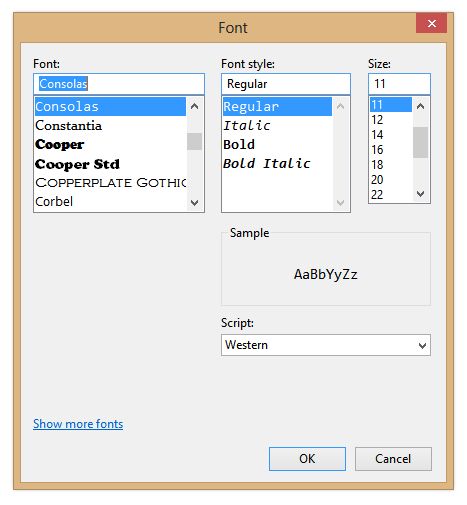
Screenshot of Font Chooser Dialog

Office 2013: Further evidence of the demise of ClearType?

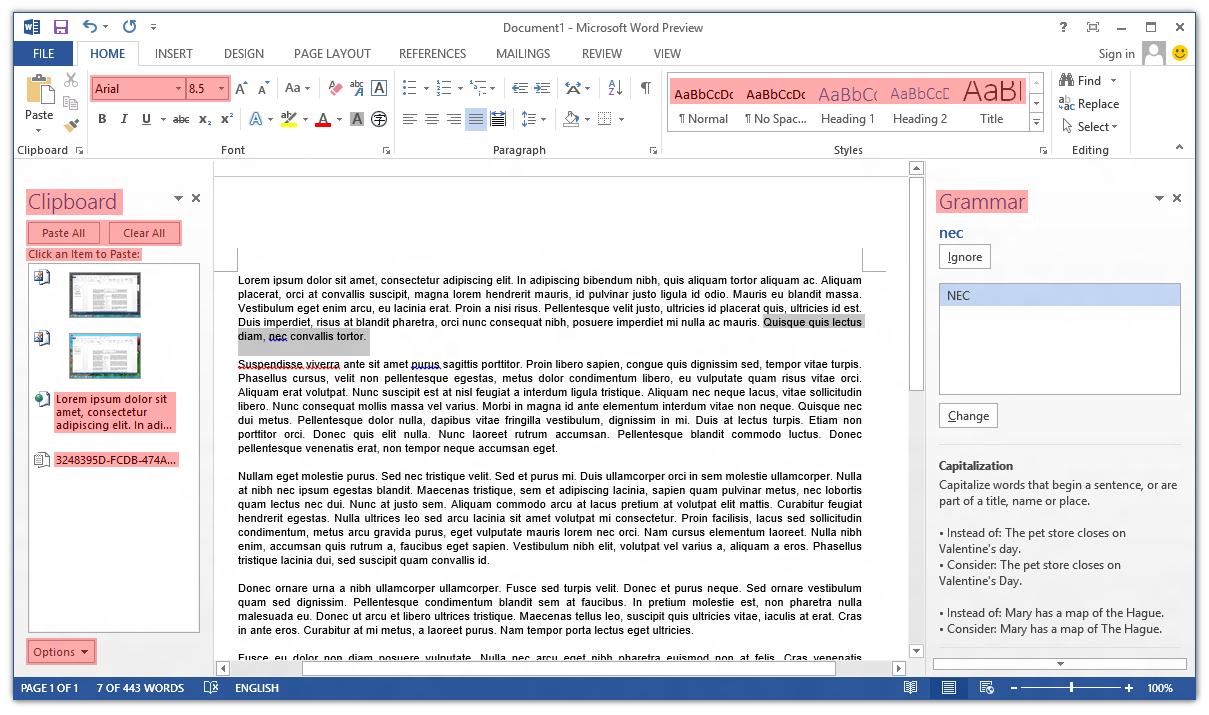
Poking around the Office 2013 Customer Preview, one thing that caught my eye immediately was the lack of ClearType font smoothing. Nearly all user interface elements use ‘greyscale’ font smoothing (as opposed to ClearType’s sub-pixel smoothing). I’ve highlighted the parts of Word 2013 that still use ClearType:

Screenshot of ClearType in Microsoft Word 2013

The text in cells in Excel 2013 still respects the system’s ClearType setting, and Outlook 2013 is a real mess (about half-and-half). OneNote 2013 seems to have retained ClearType in most places (outside the ribbon control).

Continue reading “Office 2013: Further evidence of the demise of ClearType?”

More on Segoe UI in Windows 8

Note: the following is based on the Windows 8 Release Preview (build 8400) and may not accurately reflect the final version of Windows 8. I’ll update this post if there are changes in future builds.

Updated: The fonts have been updated in the public beta (Windows Consumer Preview) and release candidate (Windows Release Preview) and I’ve changed the tables below to reflect this. I was also made aware of some additional information about changes to Segoe UI, including new stylistic sets and support for ligatures: you can read more at Subacme.

Further to my earlier post about Segoe UI Light in Windows 8, I’ve done some more research into the changes to the Segoe family of fonts. The Fonts class in the .NET Framework was helpful for retrieving information about the fonts.

Continue reading “More on Segoe UI in Windows 8”

Segoe UI Light improvements in Windows 8

Windows 7 comes with Segoe UI Light version 5.00/0.90. Windows 8 (as of the Windows Consumer Preview) comes with version 5.15, which has been hinted at various sizes. This comes as a very welcome change, especially with Microsoft using Segoe UI Light all over the place in its latest webpage designs. I recommend grabbing the updated versions of Segoe UI from Windows 8 for your Windows 7 or Windows Vista machines.

Continue reading “Segoe UI Light improvements in Windows 8”

Theming & visual styles in Windows 8

The following is based on the Windows Developer Preview and might not accurately represent the final version of Windows 8.

A significant change in Windows 8 is the removal of support for Windows classic theming. In the Windows Developer Preview, there is no Windows Classic theme, and all themes (including Windows Basic and the four high contrast themes) use the Desktop Window Manager (DWM) for desktop composition (in Windows Vista and Windows 7, it was only enabled for Aero themes).

Continue reading “Theming & visual styles in Windows 8”

Windows theme fonts redux & sample code

View source on GitHub.

In a post earlier this year, I investigated how to retrieve information about theme fonts in Windows. Briefly, the Visual Styles APIs can be used when visual styles are enabled, but values need to be hard-coded (to some extent) otherwise.

Andrew Powell commented on my previous post noting difficulties in implementing the GetThemeFont function in managed code. In this post, I’ll demonstrate how to implement the relevant functions in a simple WPF project. In particular, I’ll focus on displaying information about the ‘main instruction’ text style as seen in Task Dialogs.

Read on for details.

Continue reading “Windows theme fonts redux & sample code”

Windows theme fonts

View source on GitHub.

Update: See this post for a sample implementation in WPF.

Screenshot of Task Dialog (Aero)

Have you ever wondered how to access the various font colours and styles found throughout Windows, such as that of the ‘Main Instruction’ text in the Task Dialog shown above?

Continue reading “Windows theme fonts”