Native tooltips in WPF (part 2)

View source on GitHub.

In part 1 of this article I looked at the differences between WPF tooltips and ‘native’ (Win32) tooltips. In this part I present a sample WPF application that displays native tooltips. I’d planned to walk through some of the code here, but that turned out to be a bit tedious, so you’ll have to make do with the comments in the sample.

NativeToolTip.7z
11,271 bytes; SHA-1: 4ABD39CE46F5386E6D2DFF4A788AC3231DFA8765

Limitations:

  • ToolTipService.Placement must be set to ‘Mouse’ (the default). Custom positioning is not available. (You could implement it with a tracking tooltip, but that’s easier said than done.)
  • Native tooltip content is limited to simple strings.

Remarks:

  • TTM_POPUP doesn’t work if the rect field of the TOOLINFO isn’t set. This had me stumped for a while.
Native tooltips in WPF (part 1)

View source on GitHub.

<preamble>

One of my hobbies is getting WPF controls to look more like their native counterparts. I’ve been shoehorning the UxTheme APIs (and older equivalents when theming is unavailable) into something that can be used by WPF over the past year or more, and I’ll write about this process at some point in the future (I’ve implemented native-looking push buttons, radio buttons, checkboxes, scrollbars, list views/list view items, text boxes, group boxes and read-only combo boxes). These efforts pay off the most in Windows 8, since WPF’s theme for that OS leaves much to be desired (just look at the push buttons!). This isn’t entirely surprising given that the theme wasn’t finalised until post-RC, leaving the WPF team without much time to do a good job.

</preamble>

In this post I’ll compare WPF tooltips with Win32 tooltips, and in part 2 I’ll demonstrate how to use Win32 tooltips in a WPF application and post some sample code.

Continue reading “Native tooltips in WPF (part 1)”

WPF ToolTip drop shadows in Windows 8

The standard ToolTip control template for the Windows 8 theme in WPF (‘Aero2’) has no drop shadow, whether or not the HasDropShadow property is set. The background colour and margins are also slightly off compared to the native style.

Continue reading “WPF ToolTip drop shadows in Windows 8”

Drawing non-themed push buttons in Windows

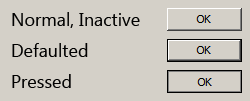
When visual styles are enabled in Windows, one may use the DrawThemeBackground function to draw themed push buttons. However, users of Windows XP, Windows Vista and Windows 7 can disable visual styles by selecting the Windows Classic theme or one of the High Contrast themes (and in Windows 2000 and earlier, visual styles weren’t available at all). The classic theming mode has been removed in Windows 8 (I have written about this previously), so in that OS the visual styles APIs should always be available. I suspect it will be a long time before NT6.1 and earlier versions of Windows constitute an insignificant share of the market, though, so this post should be useful until then.Screenshot of Non-Themed Buttons

Continue reading “Drawing non-themed push buttons in Windows”

Theming & visual styles in Windows 8

The following is based on the Windows Developer Preview and might not accurately represent the final version of Windows 8.

A significant change in Windows 8 is the removal of support for Windows classic theming. In the Windows Developer Preview, there is no Windows Classic theme, and all themes (including Windows Basic and the four high contrast themes) use the Desktop Window Manager (DWM) for desktop composition (in Windows Vista and Windows 7, it was only enabled for Aero themes).

Continue reading “Theming & visual styles in Windows 8”

Windows theme fonts redux & sample code

View source on GitHub.

In a post earlier this year, I investigated how to retrieve information about theme fonts in Windows. Briefly, the Visual Styles APIs can be used when visual styles are enabled, but values need to be hard-coded (to some extent) otherwise.

Andrew Powell commented on my previous post noting difficulties in implementing the GetThemeFont function in managed code. In this post, I’ll demonstrate how to implement the relevant functions in a simple WPF project. In particular, I’ll focus on displaying information about the ‘main instruction’ text style as seen in Task Dialogs.

Read on for details.

Continue reading “Windows theme fonts redux & sample code”

Windows theme fonts

View source on GitHub.

Update: See this post for a sample implementation in WPF.

Screenshot of Task Dialog (Aero)

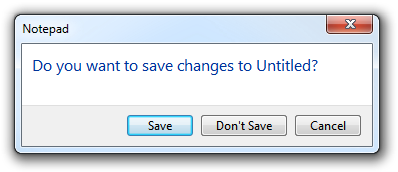
Have you ever wondered how to access the various font colours and styles found throughout Windows, such as that of the ‘Main Instruction’ text in the Task Dialog shown above?

Continue reading “Windows theme fonts”