As I noted in my earlier post, the method for selecting theme (‘accent’) colours in Windows ‘Blue’ build 9364 has changed from Windows 8 RTM. I’m not going to bother looking too closely at the updates to the functions in UxTheme.dll this early in the development process, but I did notice two new registry values in the key HKCU\Software\Microsoft\Windows\CurrentVersion\Explorer\Accent: AccentColor and StartColor. These are DWORD values that store the accent colour and background colour, respectively. The format is 0xAABBGGRR. The old ColorSet_Version3 value from Windows 8 is gone for obvious reasons. AccentId_v8.00 from Windows 8 is now MotionAccentId_v1.00, but it seems to serve the same purpose – indicating which background image is selected.
Tag: colour
Image Background Remover Tool
Inspired by Window Clippings, my preferred screenshot tool (which unfortunately crashes a lot under Windows 8 RTM), I wrote a small program for making image backgrounds transparent.
Continue reading “Image Background Remover Tool”Windows 8 Theme Colours Reference
In a similar vein to my Windows System Colours Reference, I’ve compiled a Windows 8 Theme Colours Reference using the APIs I wrote about in the previous post.
Retrieving Windows 8 theme colours
See also: Windows 8 Theme Colours Reference.
Windows 8 doesn’t offer developers access to system theme colours, unlike its cousin, Windows Phone. Even for a version 1 product, this seems like a strange omission. Then again, we still don’t have a working public API for retrieving the Aero glass colour (or whatever we call it now that Aero’s gone) 6 years after the release of Windows Vista.
The functions that the system uses to retrieve colours are defined in UxTheme.dll. In particular, we’re interested in GetImmersiveColorSetCount (export #94), GetImmersiveColorFromColorSetEx (export #95), GetImmersiveColorTypeFromName (export #96), GetImmersiveUserColorSetPreference (export #98) and GetImmersiveColorNamedTypeByIndex (export #100). Relying on undocumented functions is a bad idea, and will cause your program to fail certification, so you won’t be able to use them in apps distributed through the Windows Store anyway.
For desktop developers who still want to use these functions, read on. Just assume that they’ll break in future versions of Windows (or even with patches to Windows 8).

Windows 8 Release Preview updates
I’ve belatedly updated my Windows System Colours Reference and post about Segoe UI to reflect changes in the Windows 8 Release Preview.
WPF: Using system colours in animations
WPF provides access to the Windows system colours through the System.Windows.SystemColors class. As the MSDN documentation indicates, it’s possible to bind to these colours dynamically using the *Key resources, so when the system colours change, so will the appearance of your application.
WM_DWMCOLORIZATIONCOLORCHANGED doesn’t give the Aero Glass base colour
From MSDN:
WM_DWMCOLORIZATIONCOLORCHANGEDMessageSent to all top-level windows when the colorization color has changed.
Parameters
wParam:Specifies the new colorization color. The color format is0xAARRGGBB.lParam: Specifies whether the new color is blended with opacity.
We receive this message when the Aero Glass colour changes. Unfortunately, the value contained in wParam is not the ‘base colour’, as it is in fact the result of the DwmGetColorizationColor function. As Rafael Rivera noted last year, when glass transparency is enabled, the value returned by this function is quite different to the base colour:
Office 15: per-application border colours?
Winreview.ru’s latest Office 15 screenshots reveal application-specific border colours and drop-shadows. Word gets a dark blue border and shadow, Excel gets a green border and shadow, etc.:
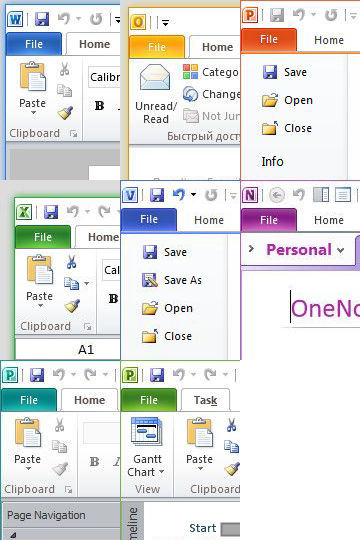
Microsoft in fact applied for a patent for per-window glass colourisation in late 2005 (‘Glass appearance window frame colorization’; discovered by Long Zheng in 2007). While there isn’t any glass in the Office 15 windows shown here (despite the DWM being enabled), the idea is similar.
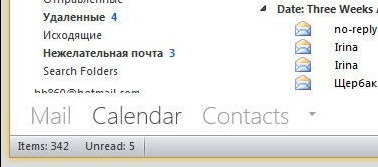
Office 15 and Windows 8 seem to be moving in similar UI directions – it seems like square corners are in and transparency is out (at least for the ‘Aero Lite’ theme).