FastPictureViewer Codec Pack, Windows 8 and WPF don’t play nicely together

Update (2012-09-06): After some trial and error, it seems the Canon Hack Development Kit (CHDK) component is causing the issue. If you’re experiencing the same problem, try removing this component.

Update (2012-09-05): The FastPictureViewer support team was unable to reproduce the issue, but suggested it might have something to do with the JPEG Auto-Rotate feature. I was able to resolve the issue by installing only the following components of the codec pack: Photoshop PSD, Lightroom Previews, Adobe DNG, Canon CR2, CRW, PDF Thumbnails and Control Panel. This suggests one of the other components was causing the conflict on my machines.

I use the FastPictureViewer Codec Pack for viewing DNG images in Windows Explorer, amongst other things. Unfortunately, however, installing version 3.3.0.69 of the codec pack in Windows 8 (64-bit) caused my installations of Visual Studio 2010, Visual Studio 2012, Blend 4 and Blend for Visual Studio 2012 to stop working to various extents. Both versions of Blend crash silently. The start pages in both versions of Visual Studio fail to load, with VS2010 displaying a Content Load Error relating to System.Windows.Baml2006.TypeConverterMarkupExtension throwing an exception. The error message displayed where the Visual Studio 2012 Solution Explorer belongs was more useful: System.Runtime.InteropServices.COMException: The codec is in the wrong state. (Exception from HRESULT: 0x88982F04).
Continue reading “FastPictureViewer Codec Pack, Windows 8 and WPF don’t play nicely together”

Office 2013: Further evidence of the demise of ClearType?

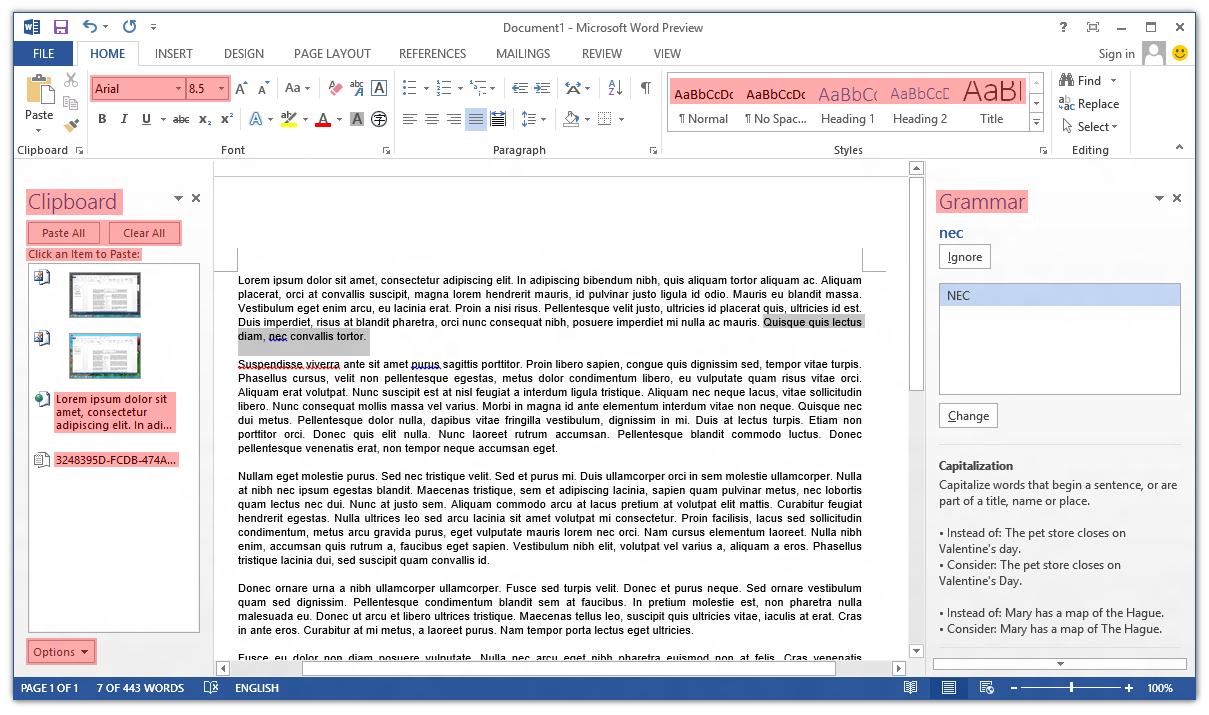
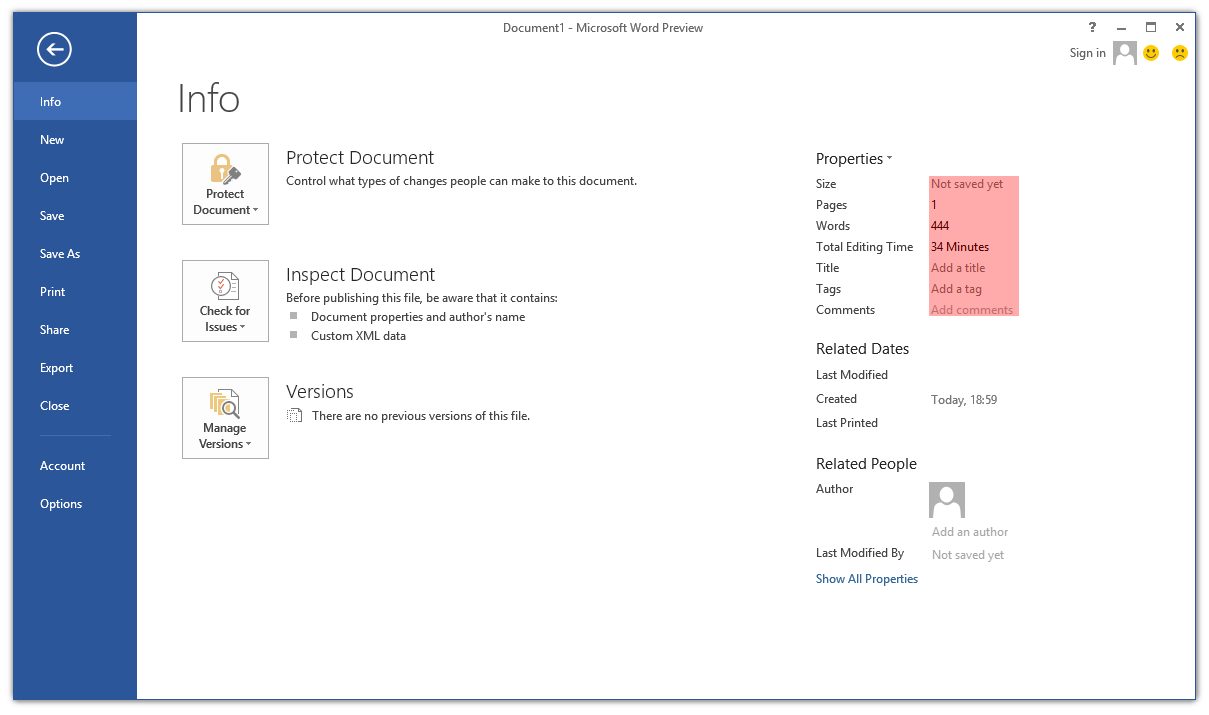
Poking around the Office 2013 Customer Preview, one thing that caught my eye immediately was the lack of ClearType font smoothing. Nearly all user interface elements use ‘greyscale’ font smoothing (as opposed to ClearType’s sub-pixel smoothing). I’ve highlighted the parts of Word 2013 that still use ClearType:

Screenshot of ClearType in Microsoft Word 2013

The text in cells in Excel 2013 still respects the system’s ClearType setting, and Outlook 2013 is a real mess (about half-and-half). OneNote 2013 seems to have retained ClearType in most places (outside the ribbon control).

Continue reading “Office 2013: Further evidence of the demise of ClearType?”

Keiki Usage Meter 3.1.0 released

I’ve released an update for Keiki Usage Meter. There has been a lot of behind-the-scenes work, but the user experience hasn’t changed drastically. Visit the website to find out what’s new.

I’m using this program as something of a testbed for some engineering work that I’ll talk about in future posts, including supporting pixel-perfect bitmap images at multiple DPI settings in WPF and using the Visual Styles APIs to draw native-looking controls (with animation). I’ve also taken the opportunity to learn a bit about localising programs, and v3.1.0 contains three user interface languages: English (Australia), English (United States) and Japanese (Japan) – thanks to Miho Inaba (稲葉美穂) for help with the latter.

WPF: Using system colours in animations

WPF provides access to the Windows system colours through the System.Windows.SystemColors class. As the MSDN documentation indicates, it’s possible to bind to these colours dynamically using the *Key resources, so when the system colours change, so will the appearance of your application.

Continue reading “WPF: Using system colours in animations”

More on Segoe UI in Windows 8

Note: the following is based on the Windows 8 Release Preview (build 8400) and may not accurately reflect the final version of Windows 8. I’ll update this post if there are changes in future builds.

Updated: The fonts have been updated in the public beta (Windows Consumer Preview) and release candidate (Windows Release Preview) and I’ve changed the tables below to reflect this. I was also made aware of some additional information about changes to Segoe UI, including new stylistic sets and support for ligatures: you can read more at Subacme.

Further to my earlier post about Segoe UI Light in Windows 8, I’ve done some more research into the changes to the Segoe family of fonts. The Fonts class in the .NET Framework was helpful for retrieving information about the fonts.

Continue reading “More on Segoe UI in Windows 8”

Segoe UI Light improvements in Windows 8

Windows 7 comes with Segoe UI Light version 5.00/0.90. Windows 8 (as of the Windows Consumer Preview) comes with version 5.15, which has been hinted at various sizes. This comes as a very welcome change, especially with Microsoft using Segoe UI Light all over the place in its latest webpage designs. I recommend grabbing the updated versions of Segoe UI from Windows 8 for your Windows 7 or Windows Vista machines.

Continue reading “Segoe UI Light improvements in Windows 8”

Drawing non-themed push buttons in Windows

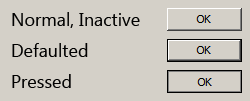
When visual styles are enabled in Windows, one may use the DrawThemeBackground function to draw themed push buttons. However, users of Windows XP, Windows Vista and Windows 7 can disable visual styles by selecting the Windows Classic theme or one of the High Contrast themes (and in Windows 2000 and earlier, visual styles weren’t available at all). The classic theming mode has been removed in Windows 8 (I have written about this previously), so in that OS the visual styles APIs should always be available. I suspect it will be a long time before NT6.1 and earlier versions of Windows constitute an insignificant share of the market, though, so this post should be useful until then.Screenshot of Non-Themed Buttons

Continue reading “Drawing non-themed push buttons in Windows”

Connecting to the internet with a Rami Levy SIM card

I recently bought a prepaid SIM card from Rami Levy for my unlocked HTC 7 Mozart. Unfortunately, I was unable to access the internet at first, despite having turned on the mobile data connection.

Setting the APN manually caused everything to work correctly. These are the details I used (source):

Access Point: internet.rl
Username: rl@3g
Password: rl